What it does, job by job.
This page lists what the business app does today. Where something is not built yet, it says so at the bottom.
Take bookings
Customers find you in the BOOKniNAM app, pick a service, a day and a free time, and send the booking to you.
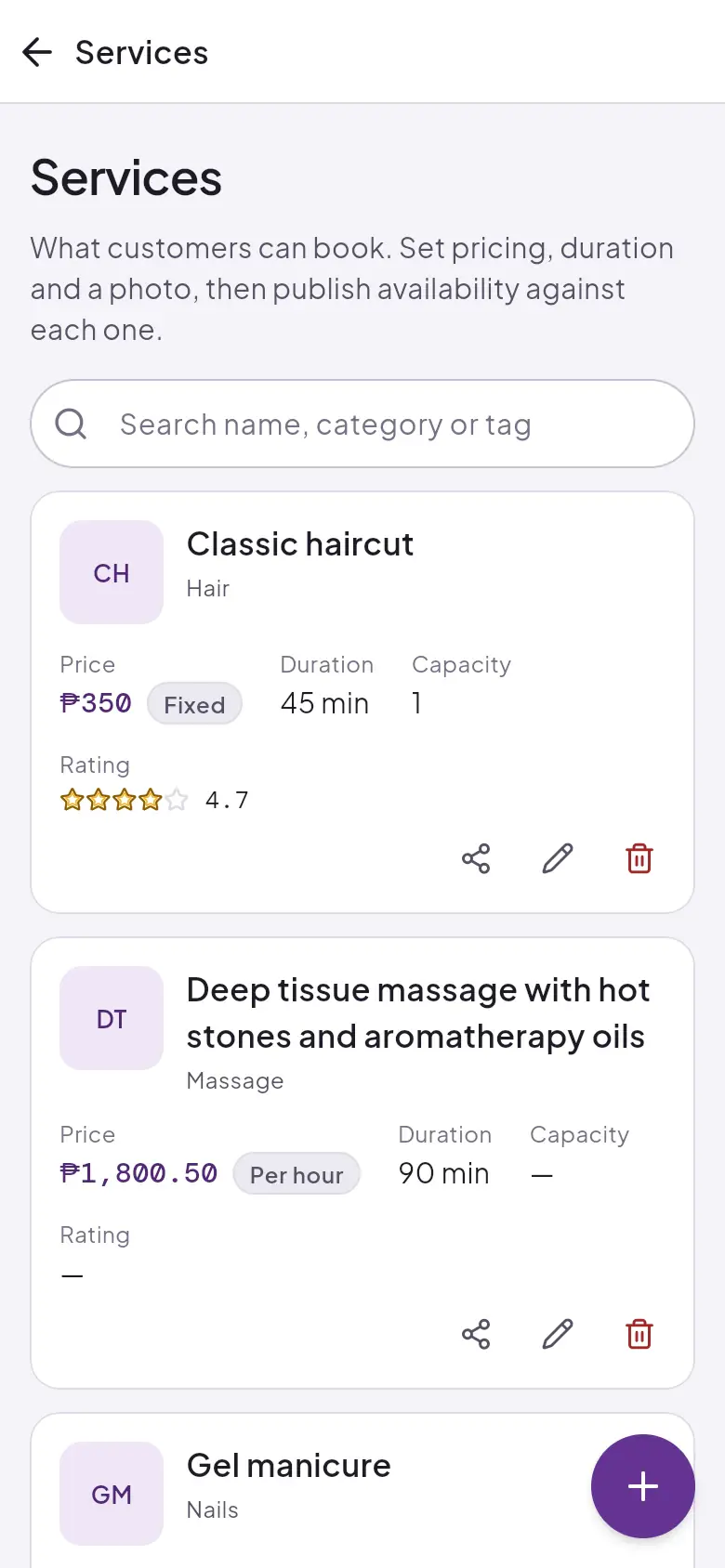
- Add each service with a price, how long it takes, a category and photos. Price it as fixed, per hour, per service or per person.
- Customers see the price before they confirm.
- Customers pay you at the shop. When they do, you tap Mark paid.
- Get a short link and a QR code for your business, and share a single service or an open time. Customers who open the link can book. This is in the business app.
Run your calendar and team
Your calendar is the open times you set. Each service has its own times.
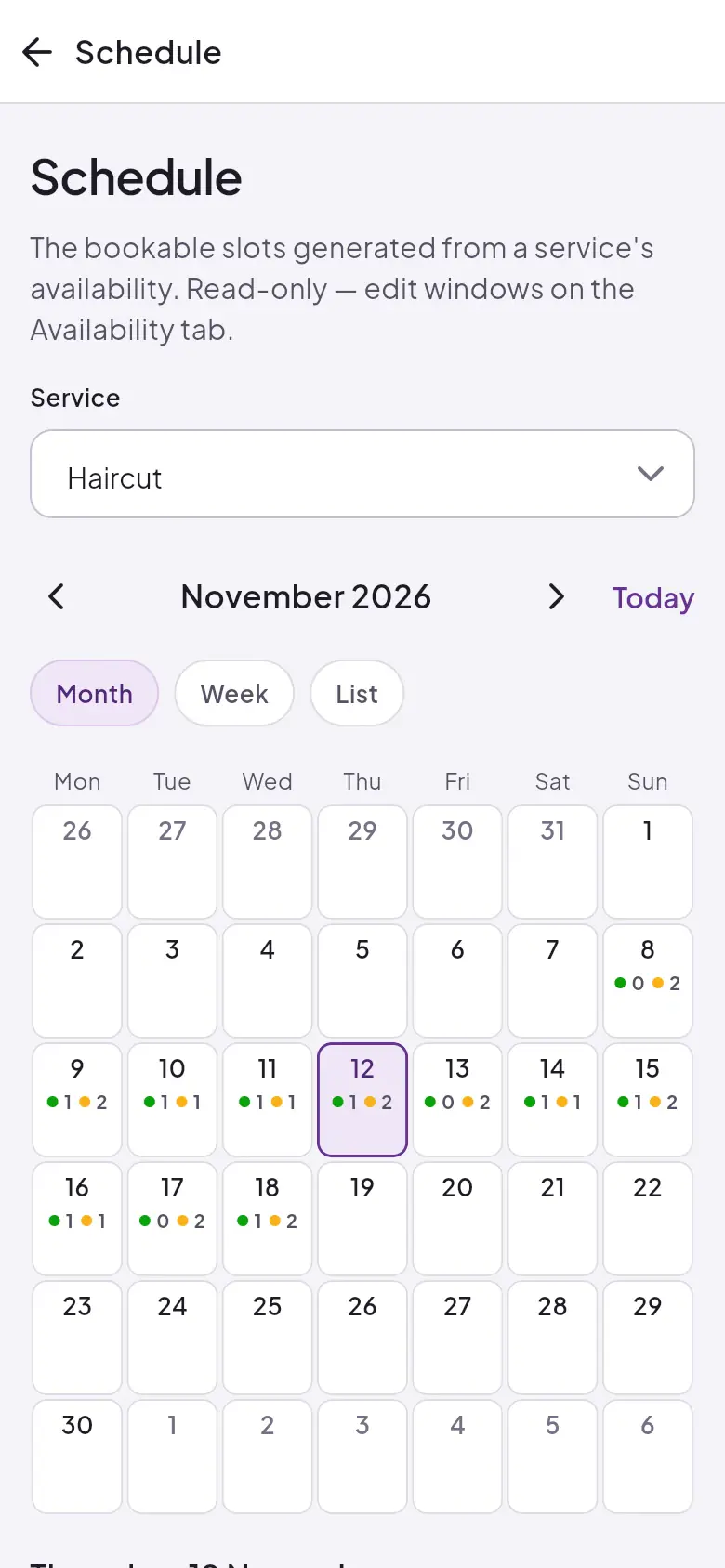
- Set open times that do not repeat, repeat daily or repeat weekly. Split a day into equal slots and skip the ones you do not want, such as lunch.
- See the schedule by month, week or list. Open and booked times have different colours, and a booked time opens its booking.
- Add your team by email. They join in the app and choose their own password. You choose who customers can book and which services each person does.
- Answer each booking: approve, decline with a reason, ask the customer to move it, or cancel. After the visit, mark it Done or No-show.
Remind customers
Reminders go out by themselves. You do not send them.
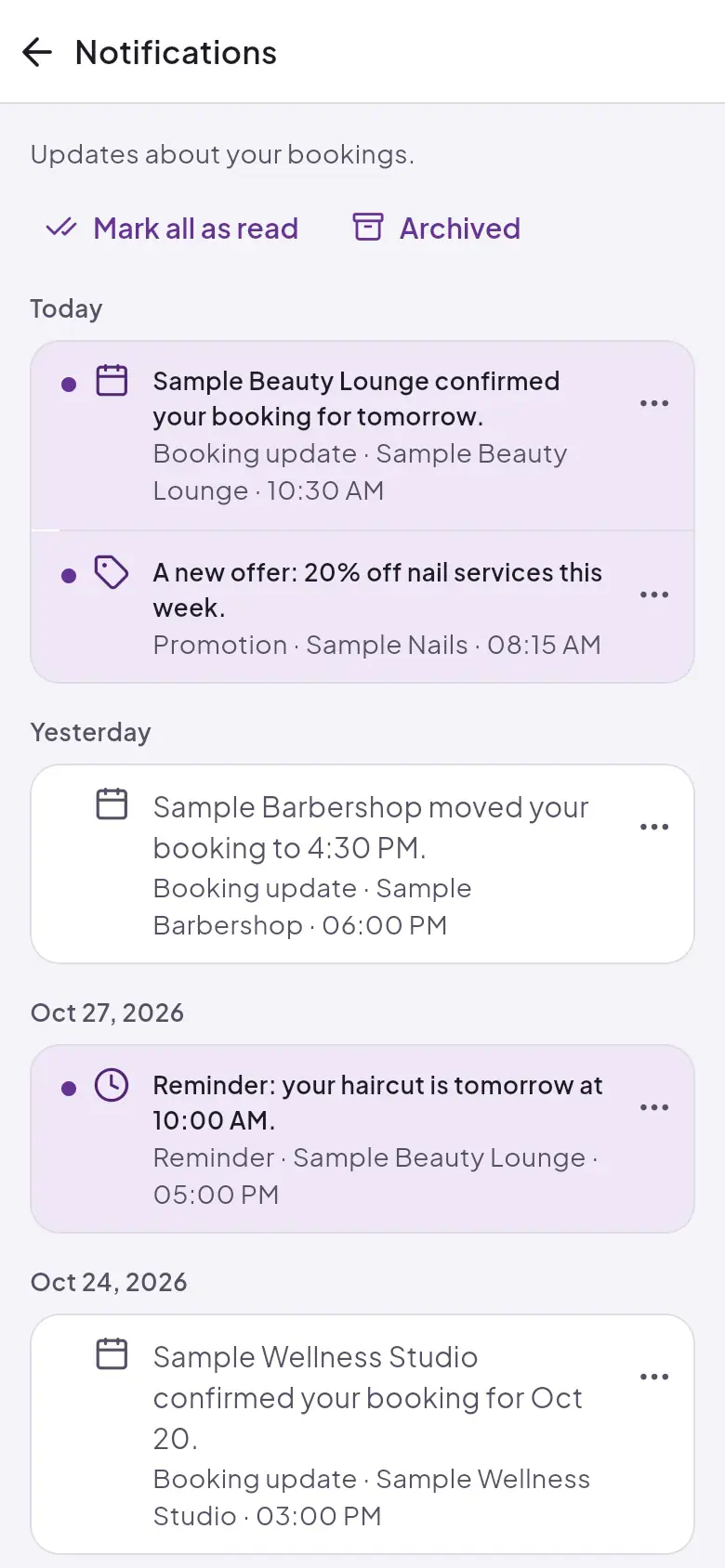
- Customers get a reminder 24 hours before and again 1 hour before. It goes to their phone. If we cannot reach the phone, we email it.
- You get a notification on your phone and in the app when a booking comes in, changes or is about to start.
- The dashboard shows what needs your action, what is coming up and your next appointments.
Get verified
Verification tells customers that BOOKniNAM has checked your business documents.
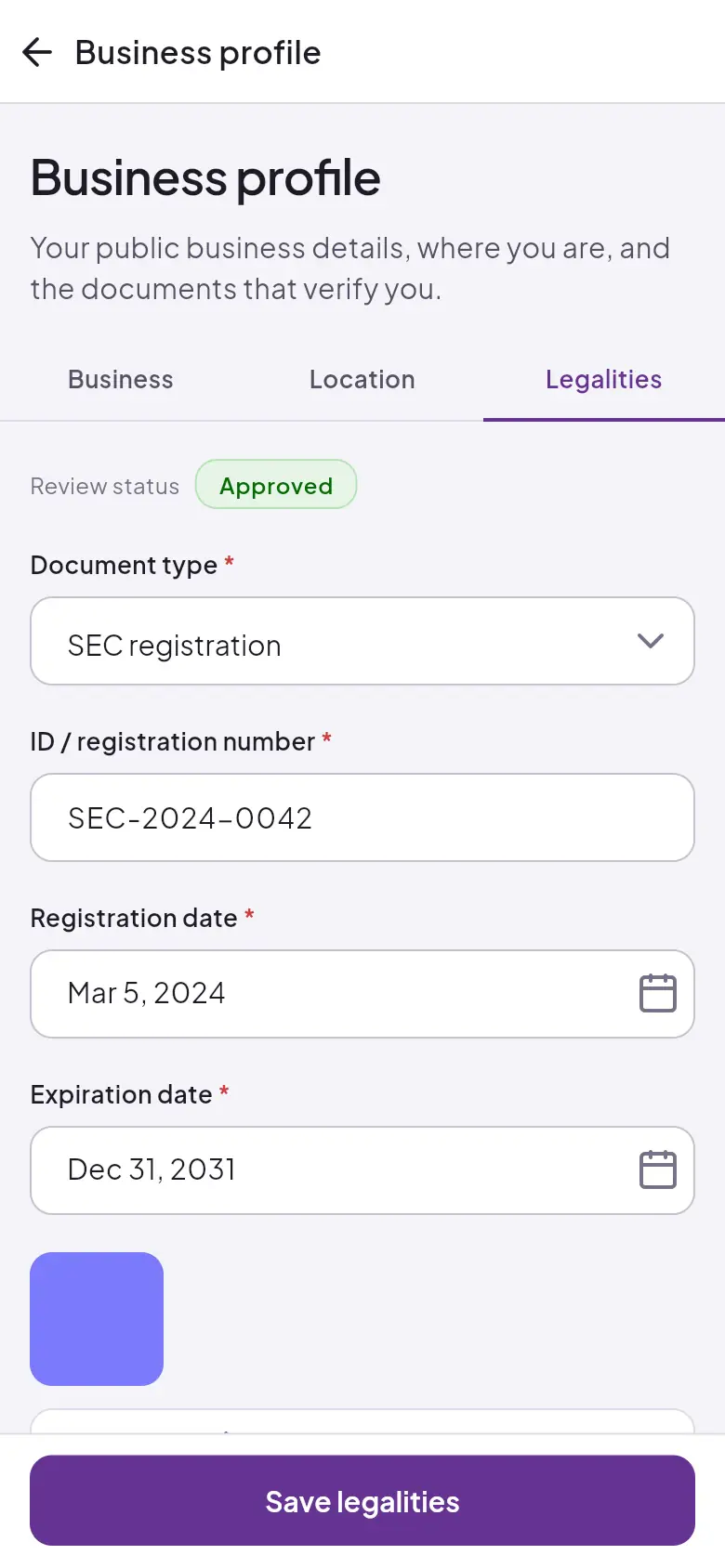
- Upload a business permit, BIR, DTI or SEC registration, a Mayor’s permit or another document, with its number and dates.
- You see the review status in the app: Awaiting review, Approved or Declined. If it is declined, upload a clearer or valid document and save again.
- An approved business shows a Verified badge on its page in the customer app.
- You can add services and open times while you wait for the review.
See sales and reports
Sales and reports are for the owner. Team members do not see them.
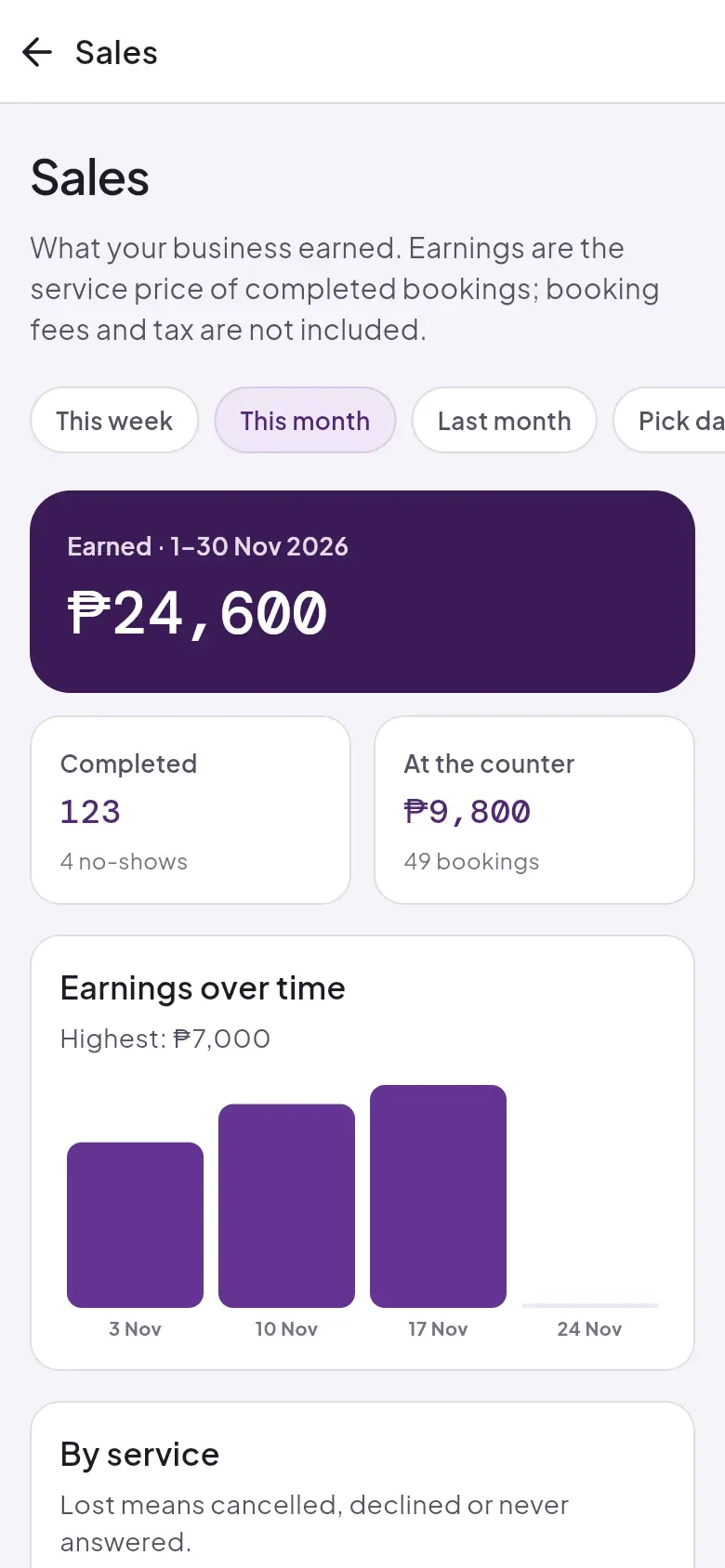
- Pick a period of up to a year. See what you earned, how many bookings were completed and how many were no-shows, by day, week or month.
- Insights show who earned it, your busiest times, your top customers and the money lost to cancellations and no-shows, compared with the period before.
- Read your reviews, your average rating and how it spreads. Reviews are read-only for now.
- Sales and reports are in the business app. The website does not have them yet.
Not built yet
We would rather you hear this now than find it out later.
Payment for services inside the app.
Customers pay you at the shop. You record it with Mark paid.
Choosing what each team member can do.
Today you decide who customers can book. A screen for per-person access is planned.
Replying to reviews.
You can read reviews. You cannot reply to them yet.
Seeing the customer’s phone number.
It does not come through yet. Use the email on the booking.
Ready to try it?
Open an account on the free plan and add your first service.
Account sign-up is not open on this site yet. Contact us and we will tell you when it is.Contact us.